> For the complete documentation index, see [llms.txt](https://docs.growthfactor.ai/llms.txt). Markdown versions of documentation pages are available by appending `.md` to page URLs; this page is available as [Markdown](https://docs.growthfactor.ai/getting-started/home.md).
# Home
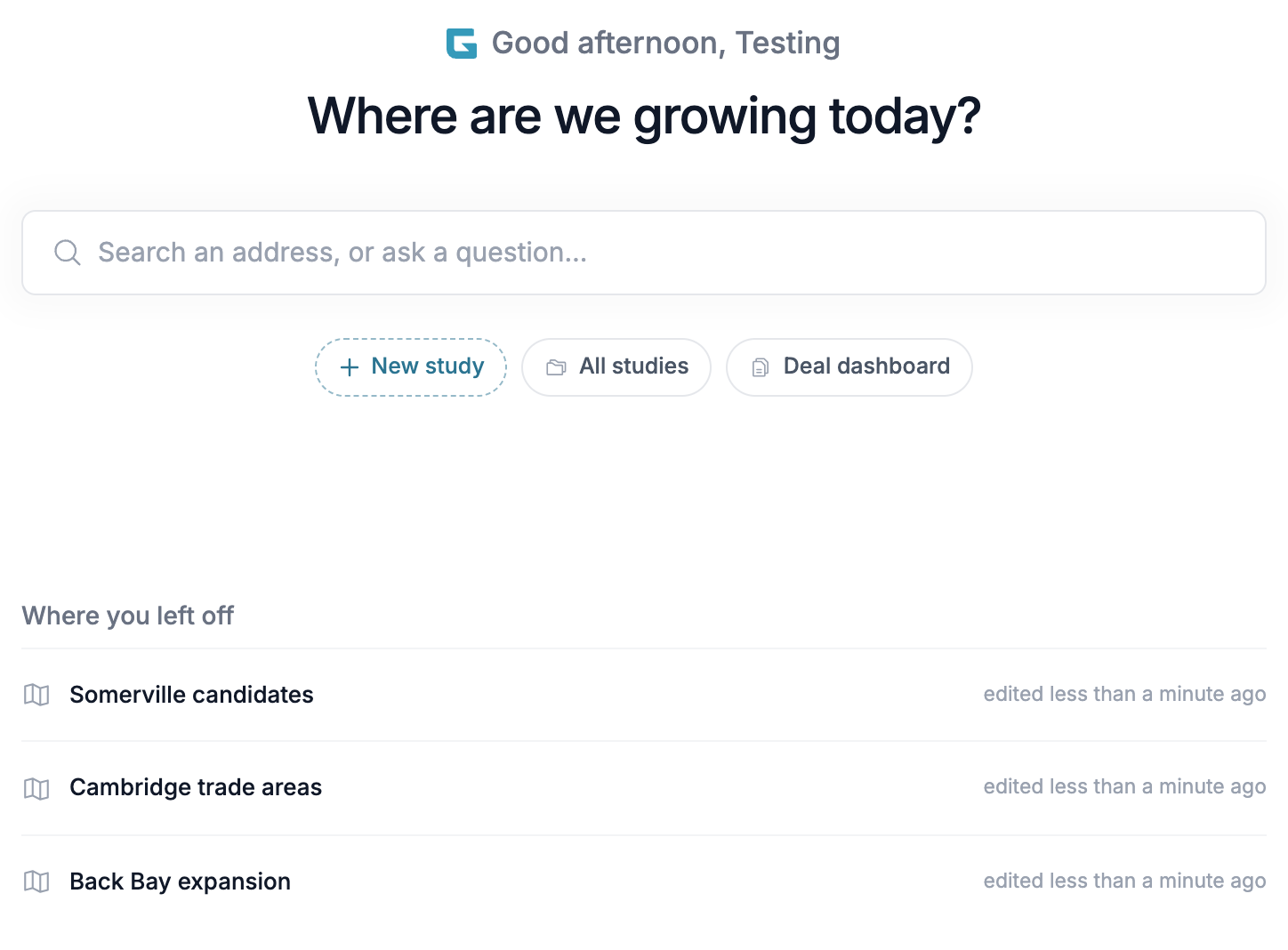
Home is the first thing you see after logging in. It opens on a greeting and the question **Where are we growing today?** Click **Home** at the top of the sidebar, or the GrowthFactor logo, to come back to it from anywhere.
***
## Search
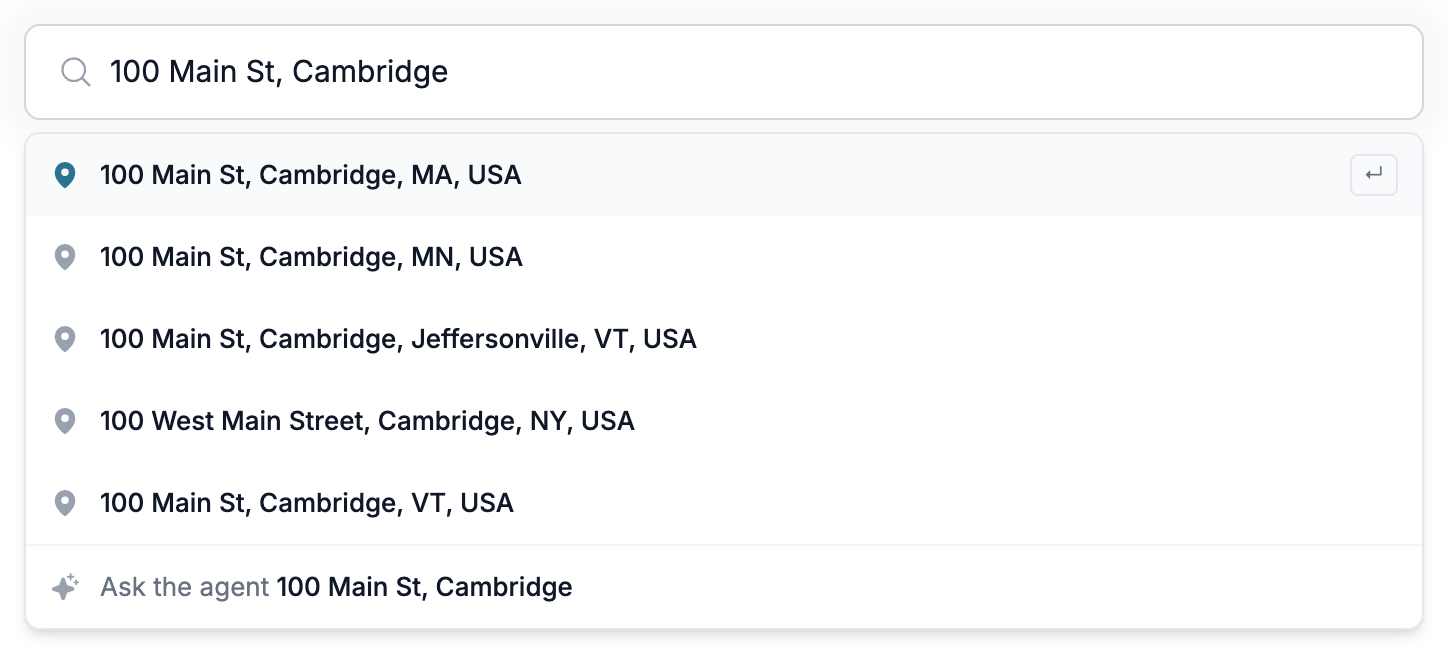
Type into **Search an address, or ask a question…** to start new work. A dropdown opens under the bar as you type, and every row it offers creates a new study.
* **An address** — Matching places appear as suggestions. Click one, or press `Enter` to take the top match. The new study opens with a pin dropped there and a trade zone generated from your workspace's default. The pin comes up selected, so its panel is already open. Coordinates like `40.7128, -74.0060` get an **Analyze** row instead of suggestions.
* **Ask the agent** — Opens a new study and sends what you typed as the first message to the [GrowthFactor Agent](/study/growthfactor-agent.md).
Which row `Enter` takes depends on what you typed. Anything phrased as a question, or a request longer than a few words, goes to the agent. A short phrase that matches a place goes to the address. Use the arrow keys to override the highlighted row.
Search (shortcut `/`) can be jumped into from anywhere on the Home page.
{% hint style="info" %}
Addresses are looked up before the study is created, so a lookup that comes back empty says **Couldn't find that address** and leaves no empty study behind. Picking a named business or landmark names the pin after it rather than its street address.
{% endhint %}
***
## Quick Actions
Below the search bar:
* **New study** opens a blank study.
* **All studies** opens the full studies list.
* **Deal dashboard** opens your pipeline.
***
## Where You Left Off
Below quick actions, **Where you left off** lists up to three studies you've edited most recently, newest first, with when you last touched each one. Click one to jump back in. Studies you've never edited yourself don't appear, and the section stays hidden until you have one.
---
# Agent Instructions
This documentation is published with GitBook. GitBook is the documentation platform designed so that both humans and AI agents can read, navigate, and reason over technical content effectively. Learn more at gitbook.com.
## Querying This Documentation
If you need additional information that is not directly available in this page, you can query the documentation dynamically by asking a question.
Perform an HTTP GET request on the current page URL with the `ask` query parameter, and the optional `goal` query parameter:
```
GET https://docs.growthfactor.ai/getting-started/home.md?ask=&goal=
```
`ask` is the immediate question: it should be specific, self-contained, and written in natural language.
`goal` is optional and describes the broader end goal you are ultimately trying to accomplish on behalf of the user. GitBook uses it to tailor the answer towards what is most useful for that goal.
The response will contain a direct answer to the question and relevant excerpts and sources from the documentation.
Use this mechanism when the answer is not explicitly present in the current page, you need clarification or additional context, or you want to retrieve related documentation sections.